What is the all-new Libre app13?


The refreshed Libre app for your smartphone13 connects26 to your FreeStyle Libre or for an easier way to see real-time sugar readings, alarms18, and trends.
Man wearing a FreeStyle Libre sensor on his upper arm checks the Libre app on his smartphone at an outdoor gathering with friends around a table of food and string lights.

Download the Libre app13 for any FreeStyle Libre sensor.

How does the Libre app13 help you manage diabetes?

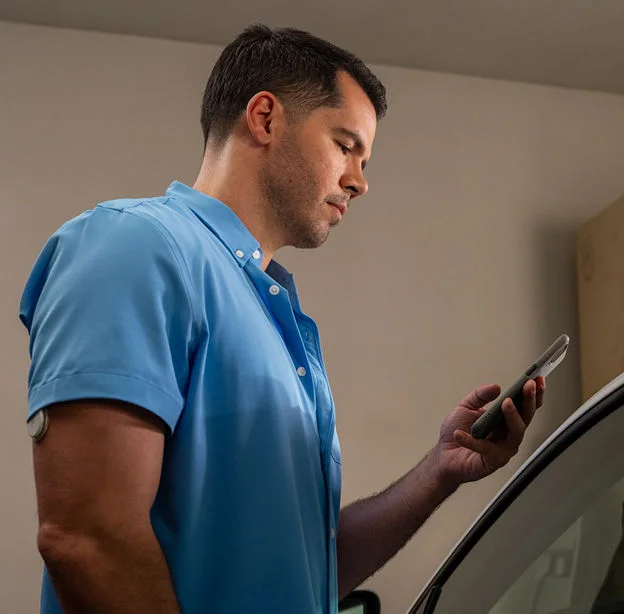
Man in blue shirt checking his smartphone while standing next to a car in a garage.

Alarms18 that fit your lifestyle.

An enhanced experience with discreet, escalating alarms18 that you can choose to silence62 for up to 9 hours.

Easy navigation.

Designed to make it easier than ever to find your readings, trends, and settings on your smartphone13 or right on your wrist57,58.

Streamlined design.

Everything you rely on, now easier to use. The new Libre app13 combines the features you asked for with a streamlined design. One app, no matter your FreeStyle Libre systems sensor.

Use Libre Assist54 to get personalized food suggestions55.

Libre Assist54 is a feature within the Libre app13 that analyzes photos of your meals to show their potential sugar impact56. It combines food insights with sugar data and offers personalized guidance55 to help you make more sugar-friendly food choices.

Get data directly from your Apple Watch.

The Libre app13 can pair with your Apple Watch to display real-time data, trends, and alarms on your wrist57,58. It lets you quickly check readings and receive high or low alarms, making sugar monitoring more convenient491,492.
Icon of a line graph

Need guidance on understanding your data?

Understanding your readings, alarms, and patterns is easier than you think.

How to get started with Libre app13.

Easy-to-follow instructions in the Libre app13 will guide you every step of the way, from putting on and setting up your first sensor to checking your readings and more.

Within 60 minutes8 your system will be ready to deliver minute-by-minute8 readings and optional alarms18 if you choose.

If you’re using the existing FreeStyle LibreLink app12, it won’t update to the new Libre app13. You’ll need to download the Libre app13 to begin receiving continuous readings from your sensor.
Note: The FreeStyle LibreLink app12, FreeStyle Libre 2 app13, and FreeStyle Libre 3 app13 are still available for download and can be used with their respective sensors. The new Libre app13 combines the features you rely on with a refreshed design, built to work across sensors.

Get more help with Libre app13 videos.

Watch step-by-step videos to understand the real-time data, trends, and settings that support your diabetes management.

How do I understand my sugar readings?

It’s your sugar story—discover how to get the most out of your readings.

How do I customize my Low and High sugar Alarms?

Learn how to set up personalized alarm ranges.

How do I share my sugar data with my doctor?

Sharing your sugar data with others is easy, we’ll show you how.

How do I view my reports?

Start tracking your trends and unlock insights.

Product images for illustrative purposes only. Not actual patient data.

The Libre systems apps are only compatible with certain mobile devices and operating systems. Please check our website for more information about device compatibility before using the apps. Use of the Libre systems apps may require registration with LibreView.

ADC-2697931 v1.0