


Category: Freestyle Libre Systems Tips
Category: Freestyle Libre Systems Tips
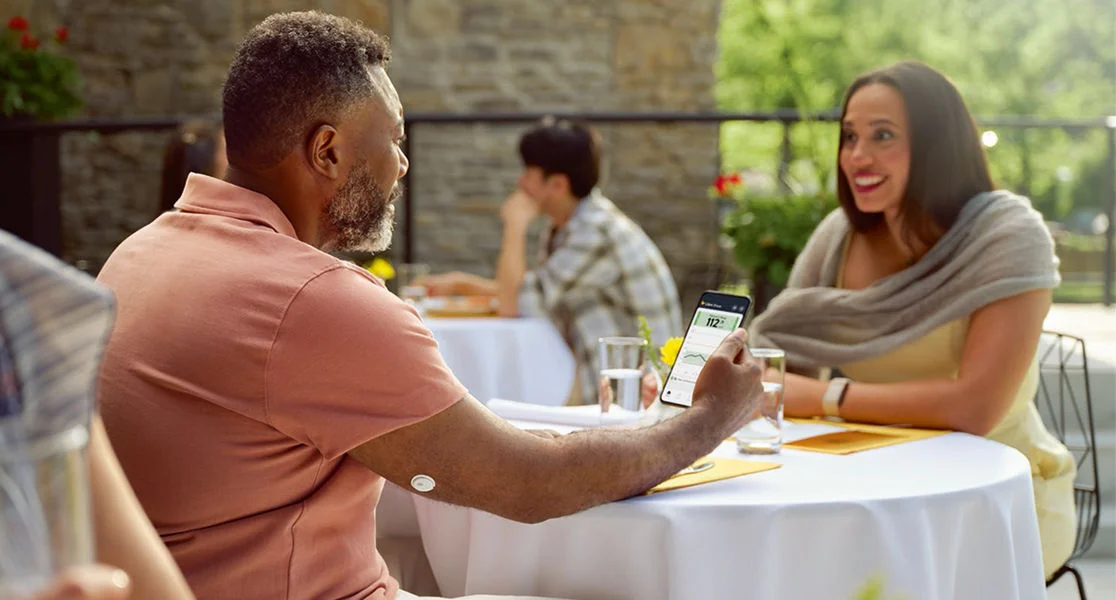
Your glucose (commonly known as sugar) level numbers are always changing. What you eat and drink can affect these numbers, as well as exercise, medicine, stress, and sleep. All of these factors may cause your numbers to rise, fall, or stay about the same.
Luckily, understanding your glucose readings can help. You can see patterns, prepare for changes, and make more informed choices*1 to help you throughout your day.
4 insights you’ll learn from checking and staying on top of your glucose levels
-
Which foods fuel you best2,3
Different foods impact glucose in different ways—and the way your body responds is also unique. When you track your glucose levels, you’ll start to see your own natural patterns.
For example, if you have a carb-heavy dinner, like spaghetti, you may see a spike in your glucose level numbers. This is because food and drinks with carbs have the most direct and fastest impact on glucose levels. When eating carbs, you can help avoid glucose spikes by choosing whole and unprocessed foods, including non-starchy vegetables—they have a lot of fiber and very little digestible carbs.
-
How insulin affects your glucose levels4
Did you know the time of day may impact your glucose level numbers? Talk to your healthcare provider if you notice certain glucose patterns. For example, if your insulin level drops overnight and your glucose level numbers rise, it could be due to a low insulin dose the night before.
-
What kind of exercise helps keep you in range5
For most people with diabetes, heart-healthy exercises, like walking, can help lower glucose levels and keep them in range—and higher intensity workouts may raise glucose levels. You’ll find out how your body reacts to different activities as you keep checking your levels.
-
How stress changes your numbers2
Diet and exercise aren’t the only factors that affect glucose levels—stressful moments can also cause changes. As you check your glucose level numbers, you can start to see the big glucose picture†6.
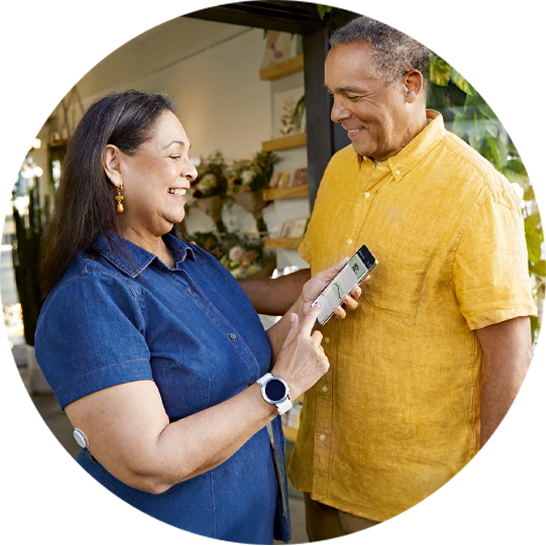
See your glucose levels in real time with FreeStyle Libre systems.
Check the Libre app‡ to see how daily life impacts your glucose levels—from your morning walk to your taco dinner to the sleep you got the night before.
Your glucose reading is just part of the story. Libre systems can tell you so much more†6.
With a glance at your smartphone‡, you can see where your glucose levels are, where they are headed, and where they have been.
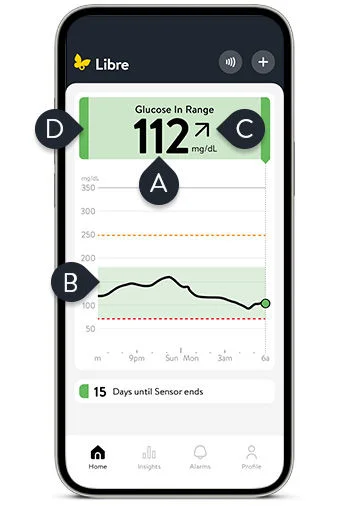
Let’s take a closer look at the Libre app‡ home screen. These features can help you manage and understand your glucose level numbers.
-
Current glucose reading
Glucose readings are sent straight to your smartphone‡ every minute§—day and night. Your Libre systems sensor works in the background, so you can focus on what’s next.
-
Glucose graph
See up to the last 12 hours of glucose values, your target glucose range||, and stored data history to get a complete picture of how your day is going.
-
Trend arrow
You can easily see the direction your glucose is going (e.g. rising slowly) so you know if you need to take action.
-
Glucose message
At a glance, check your current glucose status (e.g. glucose in range). See the illustration below for a color-coded view of glucose levels.
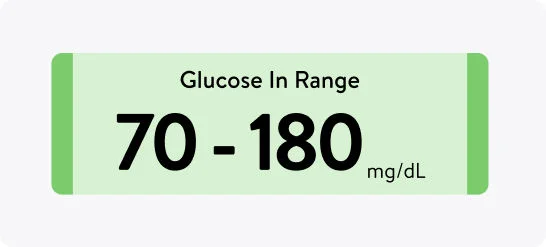
Green
Within the target glucose range (70 - 180 mg/dL, is standard, but target range can be customized)
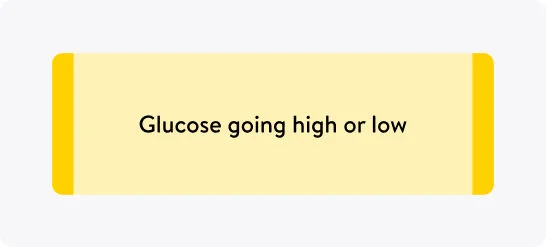
Yellow
Glucose going high or low (between target glucose range and high or low glucose threshold)
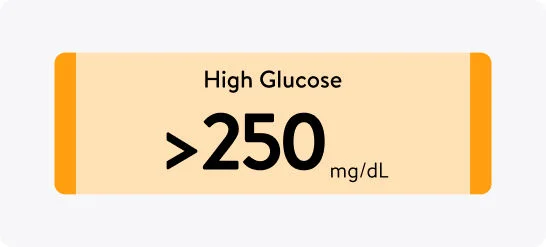
Orange
High glucose (above 250 mg/dL)
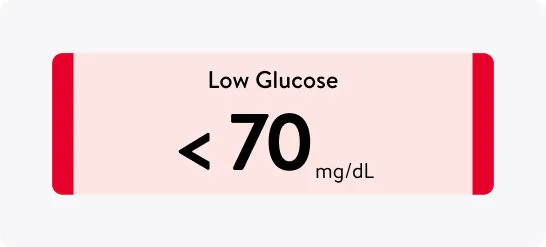
Red
Low glucose (below 70 mg/dL)
Follow these tips to use your Libre app‡ like a pro—and feel more in charge of your glucose level numbers.

Check your Libre app‡ before and after you eat.
To see how food choices impact your glucose levels, you can check your glucose level numbers before eating and check them again 1–2 hours after eating7. Larger meals may cause your glucose levels to rise, so it’s a good idea to check the Libre app‡ a couple hours after dinner to see where your levels are.

Watch trend arrows and glucose graphs.
These app‡ features make it easier for you to make more informed choices*¹. If you notice your glucose levels are lower than your target range, it may be time for a snack—like an apple—to help bring your glucose levels back to where you want them2.

Customize alarm¶ settings to help you know when to take action.
You can customize your alarms based on your target glucose range|| that you set with your healthcare team. This way your Libre systems sensor will alert you if your glucose levels get too low or too high.

Add notes throughout your day.
Record what may have affected a glucose change—like a meal, walk, medication dose, or stressful event—so you can better understand your body’s responses and discuss these insights with your healthcare team.

Share# data with your healthcare team**.
Sharing your glucose data helps your healthcare provider see a more complete picture of your diabetes management. Together, you can spot patterns and trends to personalize your care†6 and see how your body responds throughout the day and night.
You now have the tools to help you better understand your glucose story.
As you keep checking your numbers in the Libre app‡, you’ll see how what you eat, how active you are, and even how you feel each day can affect your glucose levels.
With this information, you can make confident choices that fit your lifestyle. And by sharing# your insights with your healthcare team**, you can work together to create a plan that supports your diabetes health and goals.

Looking for more resources?
Read our Libre 3 Plus Sensor Getting Started Guide or Libre 2 Plus Sensor Getting Started Guide to learn more about your glucose readings, understanding trend arrows, and using Libre systems.
Access more resources on our website.
Looking for extra support? Get free 1:1 sensor training with
a Certified Diabetes Educator.

Connect one on one with a Certified Diabetes Educator over the phone—for free. They’ll walk you through sensor setup, show you how to read your glucose patterns, and answer any questions you have along the way.
More articles you may enjoy
Use Libre app† reports to spot glucose patterns.
Get more from your glucose data with the reports feature.
Answers to Libre app† alarms‡ questions.
Learn to set, customize, and understand your glucose alarms‡.

Grab-and-go healthy snacks for busy days.
Easy snack ideas can help you stay prepared with diabetes.
Share this article:


FreeStyle Libre 3 system is cleared to be used by children 4 years and older with Libre 3 sensor and 2 years and older with Libre 3 Plus sensor.
FreeStyle Libre 2 system is cleared to be used by children 4 years and older with Libre 2 sensor and 2 years and older with Libre 2 Plus sensor.
Medicare and other payor criteria may apply.
* Study was performed with the outside US version of the FreeStyle Libre 14 day system. Data is applicable to FreeStyle Libre 2 and 3 systems, as feature sets are similar as FreeStyle Libre 14 day system, excluding alarms.
† Study was performed with the US version of the FreeStyle Libre 14 day system. Data is applicable to FreeStyle Libre 2 and 3 systems, as feature sets are similar as FreeStyle Libre 14 day system, excluding alarms.
‡ The FreeStyle Libre systems apps are only compatible with certain mobile devices and operating systems. Please check the Support section of our website for more information about device compatibility before using the apps. Use of the FreeStyle Libre systems apps may require registration with LibreView.
§ 60-minute warm-up required when starting the sensor.
|| Default range is 70–180 mg/dL. Consult with a healthcare professional on individual target glucose range.
¶ Alarm notifications will only be received when alarms settings are enabled and turned on and sensor is within 20 feet (FreeStyle Libre 2) or 33 feet (FreeStyle Libre 3) unobstructed of the reading device.
# The user’s device must have internet connectivity for glucose data to automatically upload to LibreView.
** The FreeStyle Libre systems apps are designed to facilitate data sharing between patients and their healthcare providers and caregivers.
References: 1. Fokkert, Marion, et al. “Improved Well-Being and Decreased Disease Burden After 1-Year Use of Flash Glucose Monitoring (FLARE-NL4).” BMJ Open Diabetes Research & Care 7, no. 1 (2019): e000809. https://doi.org/10.1136/bmjdrc-2019-000809. 2. American Diabetes Association. "How to Use Your CGM for Better Diabetes Management." Accessed September 9, 2026. https://diabetes.org/living-with-diabetes/treatment-care/food-monitoring. 3. American Diabetes Association. “Understanding Carbs.” Accessed September 9, 2026. https://diabetes.org/food-nutrition/understanding-carbs. 4. American Diabetes Association. “High Morning Blood Glucose: Understanding and Management.” Accessed September 9, 2026. https://diabetes.org/living-with-diabetes/high-morning-blood-glucose. 5. American Diabetes Association. “Exercise and Glucose Levels in Diabetes.” Accessed September 9, 2026. https://diabetes.org/health-wellness/fitness/why-does-exercise-sometimes-raise-blood-sugar. 6. Unger, Jeff, Pamela Kushner, and John E. Anderson. “Practical Guidance for Using the FreeStyle Libre Flash Continuous Glucose Monitoring in Primary Care.” Postgraduate Medicine 132, no. 4 (2020): 305–313. https://doi.org/10.1080/00325481.2020.1744393. 7. American Diabetes Association. “Check Your Blood Glucose | Diabetes Testing & Monitoring.” Accessed September 9, 2026. https://diabetes.org/living-with-diabetes/treatment-care/checking-your-blood-sugar.
ADC-2659834 v3.0