

Need help?
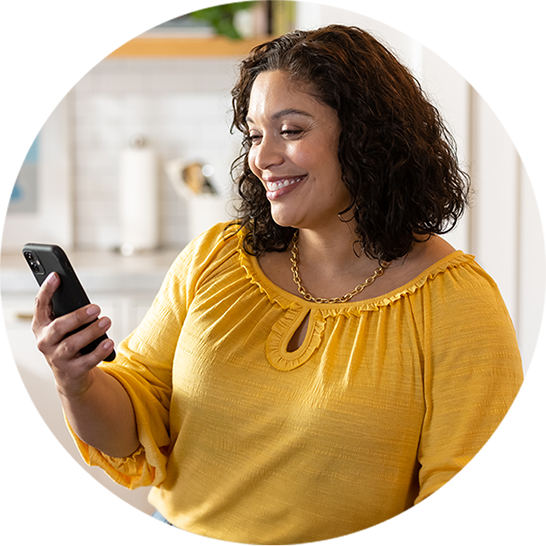
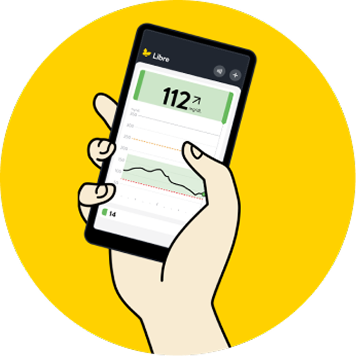
The Libre app* connects your smartphone to your Libre 3 Plus sensor. After downloading the app, you will need to sign in or create an account. Then, you will be guided through a few steps to finish setup.
Once your app is set up and sensor is connected, you can:
Check to see if your smartphone is compatible here.
Now that you’ve downloaded the Libre app*, it’s time to apply your sensor. It’s easy to apply2, comfortable to wear2,†3, and easy to use2.
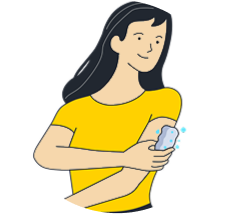
Choose a spot on the back of your upper arm:
Next, apply your sensor using the applicator provided:
Read our Sensor Application and Adhesion Guide to learn more helpful tips.
Once your sensor is in place, you’re ready to finish setting up the Libre app*.
After you’ve connected your sensor to your smartphone*, you’ll start receiving
continuous, real-time glucose readings.
Customize your experience by setting alarms that help you stay on top of your glucose levels.

Ready to remove or replace your sensor?
After 15 days, your sensor should be removed or replaced. Remove your sensor by pulling up the adhesive edge and slowly peeling it off in a single motion. When replacing your sensor, choose a different spot on the back of your upper arm to avoid skin irritation.

“Getting started on the FreeStyle Libre 3 Plus sensor was easy. I got a prescription from my doctor, I applied the sensor, and it started working with my compatible insulin pump.”
— Arnie
The views expressed should not be used for medical diagnosis or treatment or as a substitute for professional medical advice. Individual symptoms, situations and circumstances may vary.
Yes. The Libre app* includes a free feature called Libre Assist‡‡ that can help you understand how food might impact your glucose§§. Just take a photo of your meal in the app and Libre Assist‡‡ will predict its potential glucose impact§§. It will also provide personalized suggestions|||| you can use to make informed food choices.
Learn more about Libre Assist‡‡.
* The FreeStyle Libre systems apps are only compatible with certain mobile devices and operating systems. Please check the Support section of our website for more information about device compatibility before using the apps. Use of the FreeStyle Libre systems apps may require registration with LibreView.
‡‡ Libre Assist is a feature within Libre app that uses generative artificial intelligence to provide information on how foods could impact your glucose levels. Generative artificial intelligence may not always be accurate, and it should not be used to make treatment decisions.
§§ Predicted glucose impact is based on user-provided food data and may differ from actual impact, which depends on sensor readings and factors like activity, stress, medication, and alcohol. For personalized advice, consult your healthcare provider.
|||| Personalized food suggestions are based on food preference information inputted by the user.
Yes. The Libre app* makes it easy to share|| glucose readings with your healthcare team or loved ones¶, so they can stay informed and support your care.
Data is stored in a secure, cloud-based storage system¶¶ to help keep your information private.
You have two ways to share your glucose data with apps that connect seamlessly with the Libre app* or reader#:
* The FreeStyle Libre systems apps are only compatible with certain mobile devices and operating systems. Please check the Support section of our website for more information about device compatibility before using the apps. Use of the FreeStyle Libre systems apps may require registration with LibreView.
|| The user’s device must have internet connectivity for glucose data to automatically upload to LibreView.
¶ The FreeStyle Libre systems apps are designed to facilitate data sharing between patients and their healthcare providers and caregivers.
# The FreeStyle Libre systems apps and the FreeStyle Libre systems readers have similar but not identical features. Fingersticks are required for treatment decisions when you see Check Blood Glucose symbol and when your glucose alarms and readings from the system do not match symptoms or expectations.
¶¶ The LibreView data management software is intended for use by both patients and healthcare professionals to assist people with diabetes and their healthcare professionals in the review, analysis, and evaluation of historical glucose meter data to support effective diabetes management. The LibreView software is not intended to provide treatment decisions or to be used as a substitute for professional healthcare advice.
## Check the support section of www.librelinkup.com for information about mobile device and operating system compatibility. LibreLinkUp is not intended to be used for dosing decisions or to replace self-monitoring practices as advised by a physician and requires registration with LibreView.
Yes. Libre is the only 15-day CGM technology that connects to all leading pump brands in the US4.
The Libre 3 Plus sensor is authorized to work with Omnipod® 5, Tandem t:slim X2TM, iLet Bionic Pancreas, and twiistTM AID system.
When connected to a CGM sensor like the Libre 3 Plus sensor, compatible AID systems are designed to precisely adjust your insulin as your glucose goes up and down.
Learn more about our compatible insulin pumps.
AID = automated insulin delivery; CGM = continuous glucose monitor(ing)
Reference: 4. Data on file. Abbott Diabetes Care, Inc.

The FreeStyle Libre 3 system includes the Libre 3 Plus sensor, Libre 3 sensor, Libre 3 app, Libre app, and the Libre 3 reader.
The FreeStyle Libre 2 system includes the Libre 2 Plus sensor, Libre 2 sensor, Libre app, and the Libre 2 reader.
FreeStyle Libre 3 system is cleared to be used by children 4 years and older with Libre 3 sensor and 2 years and older with Libre 3 Plus sensor.
FreeStyle Libre 2 system is cleared to be used by children 4 years and older with Libre 2 sensor and 2 years and older with Libre 2 Plus sensor.
Medicare and other payor criteria may apply.
* The FreeStyle Libre systems apps are only compatible with certain mobile devices and operating systems. Please check the Support section of our website for more information about device compatibility before using the apps. Use of the FreeStyle Libre systems apps may require registration with LibreView.
† Study was performed with the outside US version of the FreeStyle Libre 14 day system. Data is applicable to FreeStyle Libre 3 and 2 systems, as feature sets are similar as FreeStyle Libre 14 day system, excluding alarms.
‡ The Libre app works with Libre 2, Libre 2 Plus, Libre 3 and Libre 3 Plus sensors and glucose data updates automatically without scanning the sensor.
§ Alarm notifications will only be received when alarms are turned on and the sensor is within 20 feet (FreeStyle Libre 2) or 33 feet (FreeStyle Libre 3) unobstructed of the reading device.
|| The user’s device must have internet connectivity for glucose data to automatically upload to LibreView.
¶ The FreeStyle Libre systems apps are designed to facilitate data sharing between patients and their healthcare providers and caregivers.
# The FreeStyle Libre systems apps and the FreeStyle Libre systems readers have similar but not identical features. Fingersticks are required for treatment decisions when you see Check Blood Glucose symbol and when your glucose alarms and readings from the system do not match symptoms or expectations.
** 60-minute warm-up required when starting the sensor.
†† Silent mode allows users to silence their signal loss and glucose alarms, including urgent low glucose alarm for up to six hours. You will not hear your glucose and signal loss alarms even if you've turned on Override Do Not Disturb but may still get the visual and vibratory notifications based on your phone's settings.
‡‡ Libre Assist is a feature within Libre app that uses generative artificial intelligence to provide information on how foods could impact your glucose levels. Generative artificial intelligence may not always be accurate, and it should not be used to make treatment decisions.
References: 1. Fokkert, Marion, et al. “Improved Well-Being and Decreased Disease Burden After 1-Year Use of Flash Glucose Monitoring (FLARE-NL4).” BMJ Open Diabetes Research & Care 7, no. 1 (2019): e000809. https://doi.org/10.1136/bmjdrc-2019-000809. 2. Alva, Shridhara, et al. “Accuracy of a 15-day Factory-Calibrated Continuous Glucose Monitoring System With Improved Sensor Design.” Journal of Diabetes Science and Technology (2025): 19322968251329364. https://doi.org/10.1177/19322968251329364. 3. Haak, Thomas, et al. “Flash Glucose-Sensing Technology as a Replacement for Blood Glucose Monitoring for the Management of Insulin-Treated Type 2 Diabetes: A Multicentre, Open-Label Randomised Controlled Trial.” Diabetes Therapy 8 (2017): 55–73. https://doi.org/10.1007/s13300-016-0223-6.
The "Yes" link below will take you out of the Abbott Laboratories family of websites. Links which take you out of Abbott Laboratories worldwide web sites are not under the control of Abbott Laboratories, and Abbott Laboratories is not responsible for the contents of any such site or any further links from such site. Abbott Laboratories is providing these links to you only as a convenience, and the inclusion of any link does not imply endorsement of the linked site by Abbott Laboratories.
Do you wish to leave this site?