


Accuracy2 you can count on
Have peace of mind knowing your child’s glucose is monitored every minute, all day long*.
Rest easier knowing you’ll be alerted† the minute your child’s glucose is too high or too low.

Accuracy2 you can count on
Have peace of mind knowing your child’s glucose is monitored every minute, all day long*.
Rest easier knowing you’ll be alerted† the minute your child’s glucose is too high or too low.
Easy||, integrated experience
Pair minute-to-minute¶ readings with your child’s compatible automated insulin delivery (AID) system.

Shared# glucose readings
Check your child’s glucose anytime*, anywhere** with LibreLinkUp††, our app for caregivers.

Parent approved
You’ll always have access to your child’s glucose information#††.
The LibreLinkUp app†† allows you to:
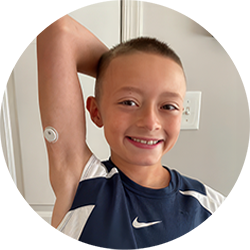
— Johnny’s mother; Johnny manages type 1 diabetes with daily insulin injections and the Libre 3 system
The views expressed should not be used for medical diagnosis or treatment or as a substitute for professional medical advice. Individual symptoms, situations and circumstances may vary.

The Libre 3 Plus sensor is discreet1—even on the smallest arms!


Helping you worry less—and helping your child live more freely||||5.


Affordability matters for families.
Libre systems are half the cost of Dexcom***1. See our Cost & Coverage page for more information.
The MyFreeStyle program gives you exclusive access to free tips and tools to help support your child’s diabetes journey—delivered straight to your inbox.
Join today and you’ll get:

Your child may even qualify for a free sensor♢.
When your child has diabetes, there’s a lot to learn every day. While high and low glucose levels can happen in day-to-day diabetes care, DKA is a serious diabetes condition6.
DKA can happen when the body doesn’t have enough insulin. Instead of using glucose for energy, the body breaks down fat and makes ketones. Ketones can build up in the blood and make it acidic, which can be dangerous at high levels6.
The information below can help you better understand what your child may be feeling and when to seek help.
Common symptoms7
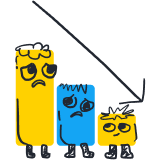
Common symptoms9

Common symptoms6
Each story follows a child with diabetes on a fun adventure—helping kids with diabetes learn, feel confident, and navigate their journey. Free to download and easy to enjoy together, these stories are perfect to read with your child and share with friends and family.

Billy and the Bionic Badge
Billy learns how to stay active while wearing a CGM device.

Riley discovers that a low can make her magic misbehave.
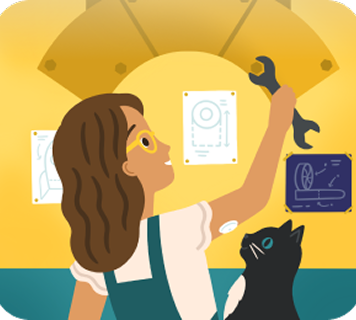
Marina invents a microscope to learn how diabetes affects her body.
Yes. The Libre 3 Plus sensor is authorized to work with the:
With the LibreLinkUp app††, you can view your child’s glucose data remotely on your smartphone#§§. That means you can stay informed about their glucose levels—even when you’re not together.
LibreLinkUp†† allows you to:
† Alarm notifications will only be received when alarms settings are enabled and turned on and sensor is within 20 feet (FreeStyle Libre 2) or 33 feet (FreeStyle Libre 3) unobstructed of the reading device.
# The user’s device must have internet connectivity for glucose data to automatically upload to LibreView and to transfer to connected LibreLinkUp app users.
†† Check the support section of www.librelinkup.com for information about mobile device and operating system compatibility. LibreLinkUp is not intended to be used for dosing decisions or to replace self-monitoring practices as advised by a physician and requires registration with LibreView.
§§ The FreeStyle Libre systems apps are only compatible with certain mobile devices and operating systems. Please check the Support section of our website for more information about device compatibility before using the apps. Use of the FreeStyle Libre systems apps may require registration with LibreView.
With the LibreLinkUp app††, you can share# your child’s glucose data with the people you and your child choose. This may include other caregivers, family members, or their school nurse.
You can invite up to 20 people to view their glucose information, so everyone involved in their care can stay informed.
# The user’s device must have internet connectivity for glucose data to automatically upload to LibreView and to transfer to connected LibreLinkUp app users.
†† Check the support section of www.librelinkup.com for information about mobile device and operating system compatibility. LibreLinkUp is not intended to be used for dosing decisions or to replace self-monitoring practices as advised by a physician and requires registration with LibreView.
Yes. The Libre 3 Plus sensor stays on your child and tracks their glucose every minute of the day*—whether they’re at home, school, or daycare.
If your child has a compatible smartphone§§, they can check their glucose using the Libre app§§. You can view their glucose data remotely through the LibreLinkUp app†† and share# access with other caregivers or family members.
It may also be helpful to speak with your child’s school nurse or daycare provider ahead of time about their diabetes care plan—including how to recognize signs of low or high glucose levels and how to respond if needed.
* 60-minute warm-up required when starting the sensor.
# The user’s device must have internet connectivity for glucose data to automatically upload to LibreView and to transfer to connected LibreLinkUp app users.
†† Check the support section of www.librelinkup.com for information about mobile device and operating system compatibility. LibreLinkUp is not intended to be used for dosing decisions or to replace self-monitoring practices as advised by a physician and requires registration with LibreView.
§§ The FreeStyle Libre systems apps are only compatible with certain mobile devices and operating systems. Please check the Support section of our website for more information about device compatibility before using the apps. Use of the FreeStyle Libre systems apps may require registration with LibreView.
The Libre app§§ is approved for children 4 years and older. However, many children with diabetes—especially toddlers (2+ years2,3) and those who are newly diagnosed—are not ready to use the app on their own or may not have a smartphone§§ yet. In these cases, parents or caregivers typically use the Libre app§§ on their child’s behalf.
As your child grows, you can decide together when they’re ready to begin using the Libre app§§ independently. You can continue to view their glucose readings through the LibreLinkUp app††. Many teenagers—and some preteens—use the Libre app§§ on their own. Open communication between you and your child can help you determine when they’re ready to take on more responsibility.
†† Check the support section of www.librelinkup.com for information about mobile device and operating system compatibility. LibreLinkUp is not intended to be used for dosing decisions or to replace self-monitoring practices as advised by a physician and requires registration with LibreView.
§§ The FreeStyle Libre systems apps are only compatible with certain mobile devices and operating systems. Please check the Support section of our website for more information about device compatibility before using the apps. Use of the FreeStyle Libre systems apps may require registration with LibreView.
References: 2. FreeStyle Libre 3 User’s Manual. 3. FreeStyle Libre 2 User’s Manual.
Libre systems offer optional, customizable alarms† that notify you when your child’s glucose goes above or below your set levels. With the help of your child’s doctor, you can set personalized glucose alarms that alert you as soon as your child’s glucose is too low or too high.
If your child uses a compatible smartphone§§, alerts are delivered through the Libre app§§ so they can take action quickly. You can also receive notifications through the LibreLinkUp app††, helping you and other caregivers stay informed.
† Alarm notifications will only be received when alarms settings are enabled and turned on and sensor is within 20 feet (FreeStyle Libre 2) or 33 feet (FreeStyle Libre 3) unobstructed of the reading device.
†† Check the support section of www.librelinkup.com for information about mobile device and operating system compatibility. LibreLinkUp is not intended to be used for dosing decisions or to replace self-monitoring practices as advised by a physician and requires registration with LibreView.
§§ The FreeStyle Libre systems apps are only compatible with certain mobile devices and operating systems. Please check the Support section of our website for more information about device compatibility before using the apps. Use of the FreeStyle Libre systems apps may require registration with LibreView.
Yes. DKA can occur in children and in anyone with diabetes10. That’s why it’s important to know the signs and symptoms.
Early signs of ketones may include6:
Later symptoms of DKA may include6:
References: 6. American Diabetes Association. “Diabetes & DKA (Ketoacidosis).” Accessed September 9, 2026. https://diabetes.org/about-diabetes/complications/ketoacidosis-dka/dka-ketoacidosis-ketones. 10. Umpierrez, Guillermo E., et al. “Hyperglycemic Crises in Adults With Diabetes: A Consensus Report.” Diabetes Care 47 (2024): 1257–1275. https://doi.org/10.2337/dci24-0032.
The FreeStyle Libre 3 system includes the Libre 3 Plus sensor, Libre 3 sensor, Libre 3 app, Libre app, and the Libre 3 reader.
The FreeStyle Libre 2 system includes the Libre 2 Plus sensor, Libre 2 sensor, Libre app, and the Libre 2 reader.
FreeStyle Libre 3 system is cleared to be used by children 4 years and older with Libre 3 sensor and 2 years and older with Libre 3 Plus sensor.
FreeStyle Libre 2 system is cleared to be used by children 4 years and older with Libre 2 sensor and 2 years and older with Libre 2 Plus sensor.
Abbott provides this information as a courtesy and does not guarantee payment or coverage.
Coverage and out-of-pocket costs may vary based on your individual insurance plan. Please contact your insurance provider directly to confirm your specific benefits and eligibility.
* 60-minute warm-up required when starting the sensor.
† Alarm notifications will only be received when alarms settings are enabled and turned on and sensor is within 20 feet (FreeStyle Libre 2) or 33 feet (FreeStyle Libre 3) unobstructed of the reading device.
‡ Based on retail sales data for patients’ last-filled prescription, by manufacturer. ADC DME data based on internal reports, Dexcom DME data based on Dexcom earnings reports.
§ Among patient-applied sensors.
|| Based on sensor features including up to 15-day wear period, automatic readings every minute, accuracy data, and single-app setup with AID systems.
¶ Processing intervals differ by pump. Please check pump’s user manual for reference.
# The user’s device must have internet connectivity for glucose data to automatically upload to LibreView and to transfer to connected LibreLinkUp app users.
** Sensor is water-resistant in up to 1 meter (3 feet) of water. Do not immerse longer than 30 minutes.
†† Check the support section of www.librelinkup.com for information about mobile device and operating system compatibility. LibreLinkUp is not intended to be used for dosing decisions or to replace self-monitoring practices as advised by a physician and requires registration with LibreView.
‡‡ Fingersticks are required if your glucose alarms and readings do not match symptoms or when you see Check Blood Glucose symbol during the first twelve hours.
§§ The FreeStyle Libre systems apps are only compatible with certain mobile devices and operating systems. Please check the Support section of our website for more information about device compatibility before using the apps. Use of the FreeStyle Libre systems apps may require registration with LibreView.
|||| Study was performed with the outside US version of the FreeStyle Libre 14 day system. Data is applicable to FreeStyle Libre 3 and 2 systems, as feature sets are similar as FreeStyle Libre 14 day system, excluding alarms.
¶¶ Based on pharmacy claims for the aggregate of patients covered by Commercial insurance, Managed Medicare, Managed Medicaid using the FreeStyle Libre personal CGM systems versus Dexcom CGM systems. Does not include fee-for-service Medicare or fee-for-service Medicaid. The actual cost to patients may or may not be lower than other CGM systems, depending on the amount covered by insurance, if any.
## Benefits apply to FreeStyle Libre personal CGM sensors and readers. Void where prohibited by law. Abbott may modify, rescind, or revoke these benefits at any time without notice. Offer available to commercially insured and uninsured patients only. These benefits are not available to beneficiaries of Medicare, Medicaid or other federal or state healthcare programs. For Massachusetts residents, only those patients responsible for the full cost of the product may be eligible to receive these benefits. These benefits are only available at participating pharmacies, which are subject to change without notice. The actual amount a patient pays may vary.
*** Based on a comparison of list prices of the FreeStyle Libre personal CGM systems versus competitors’ prescription CGM systems, assuming annual use of one receiver (or equivalent hardware) and quantity of transmitters and/or sensors according to use life. The actual cost to patients may or may not be lower than other CGM systems, depending on the amount covered by insurance, if any.
References: 1. Data on file. Abbott Diabetes Care, Inc. 2. FreeStyle Libre 3 User’s Manual. 3. FreeStyle Libre 2 User’s Manual. 4. Alva, Shridhara, et al. “Accuracy of a 15-day Factory-Calibrated Continuous Glucose Monitoring System With Improved Sensor Design.” Journal of Diabetes Science and Technology (2025): 19322968251329364. https://doi.org/10.1177/19322968251329364. 5. Campbell, Fiona M., et al. “Outcomes of Using Flash Glucose Monitoring Technology by Children and Young People With Type 1 Diabetes in a Single Arm Study.” Pediatric Diabetes 19, no. 7 (2018): 1294–1301. https://doi.org/10.1111/pedi.12735. 6. American Diabetes Association. “Diabetes & DKA (Ketoacidosis).” Accessed September 9, 2026. https://diabetes.org/about-diabetes/complications/ketoacidosis-dka/dka-ketoacidosis-ketones. 7. American Diabetes Association. “Hyperglycemia (High Blood Glucose).” Accessed September 9, 2026. https://diabetes.org/living-with-diabetes/treatment-care/hyperglycemia. 8. American Diabetes Association Professional Practice Committee. “16. Diabetes Care in the Hospital: Standards of Care in Diabetes—2026.” Diabetes Care 49, suppl. 1: S339–S355. https://doi.org/10.2337/dc26-S016. 9. American Diabetes Association. “Signs, Symptoms, and Treatment for Hypoglycemia (Low Blood Glucose).” Accessed September 9, 2026. https://diabetes.org/living-with-diabetes/hypoglycemia-low-blood-glucose/symptoms-treatment. 10. Umpierrez, Guillermo E., et al. “Hyperglycemic Crises in Adults With Diabetes: A Consensus Report.” Diabetes Care 47 (2024): 1257–1275. https://doi.org/10.2337/dci24-0032.
Important Safety Information for Insulet Omnipod 5: For full Omnipod safety information, please visit www.omnipod.com/safety.
Important Safety Information for Tandem t:slim X2 insulin pump: For full Tandem safety information, please visit www.tandemdiabetes.com/safetyinfo.
Important Safety Information for iLet Bionic Pancreas System: For full Beta Bionics safety information, please visit www.betabionics.com/safety.
Important Safety Information for Sequel twiist AID System: For full twiist AID System safety information, please visit www.twiist.com/safety.
The "Yes" link below will take you out of the Abbott Laboratories family of websites. Links which take you out of Abbott Laboratories worldwide web sites are not under the control of Abbott Laboratories, and Abbott Laboratories is not responsible for the contents of any such site or any further links from such site. Abbott Laboratories is providing these links to you only as a convenience, and the inclusion of any link does not imply endorsement of the linked site by Abbott Laboratories.
Do you wish to leave this site?