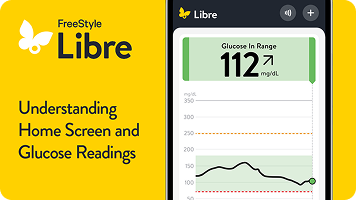
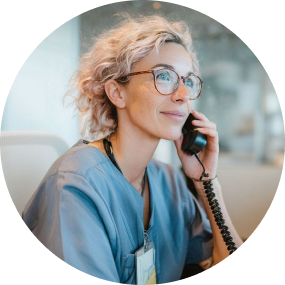
Connect one on one with a Certified Diabetes Educator over the phone—for free. They’ll walk you through sensor setup, show you how to read your glucose patterns, and answer any questions you have along the way.
When you sign up, you’ll also receive free tips and tools to help you feel confident using Libre systems.
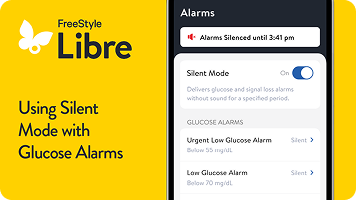
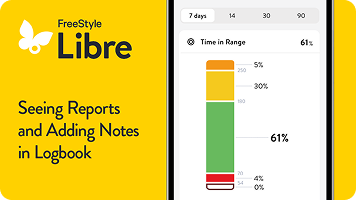
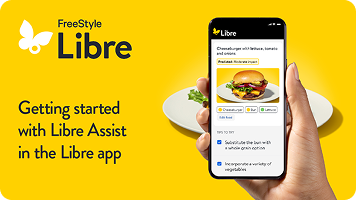
Ready to start? Setup is simple with these tools.
Tips for kids
Sensor Application & Adhesion Guide
Looking for extra support? Get free 1:1 sensor training with
a Certified Diabetes Educator.
Or call directly at 1-833-855-4273.
Available Monday–Friday, 8 AM to 8 PM Eastern Time (excluding major holidays)
100% free. No credit card required. No strings attached.
Enhance your Libre systems experience and take your
skills to the next level.
Explore helpful lifestyle articles on life with diabetes.
Visit Libre Living for articles created for you—covering practical tips, helpful guidance, education, and lifestyle topics.
More patient support tools to help you get the most out of Libre systems
LibreView#: Connect with healthcare providers.
LibreLinkUp‡‡: Connect with loved ones.
Find out if Libre CGM systems are covered by your
insurance.
Private insurance
Coverage is through your employer, your spouse’s or parent’s employer, or bought on your own.
Medicare
Federal coverage is based on age and/or disability.
Medicaid
State coverage is based on income and/or disability.
Veterans Affairs VA/TRICARE
Coverage is based on military status (e.g. veterans, active service members, retirees, and their families)
Are you privately insured or uninsured?
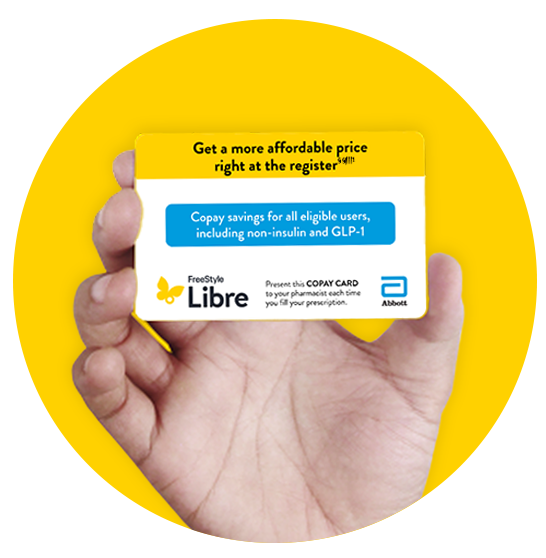
Abbott's copay assistance can help you get the Libre CGM systems you need, at the best price§§||||1. More people pay $0–$20 for Libre than for Dexcom¶¶1.
Don’t use a digital wallet? Download a copy of our Copay Card¶ and start saving on sensors now.
CGM = continuous glucose monitor(ing)
Are you privately insured or uninsured?
Abbott's copay assistance can help you get the Libre CGM systems you need, at the best price§§||||1. More people pay $0–$20 for Libre than for Dexcom¶¶1.
CGM = continuous glucose monitor(ing)
Need more help with your Libre systems? We’re here to support you.
Access Libre systems: setup and how-to guides.
Submit a sensor support request.
Contact our Customer Care Team.
Chat with us Available 24/7; excluding holidays.
Call us at 855-632-8658 Available 7 days a week 8 AM to 8 PM Eastern Time; excluding holidays.
Libre systems FAQs
The Libre app* is compatible with iPhone and Android mobile devices. Please check our smartphone compatibility guide for the latest information on compatibility.
* The FreeStyle Libre systems apps are only compatible with certain mobile devices and operating systems. Please check the Support section of our website for more information about device compatibility before using the apps. Use of the FreeStyle Libre systems apps may require registration with LibreView.
A “Sensor Error” message means your Libre systems sensor has paused your glucose readings while it runs a quality check. The sensor will start showing readings again automatically once the check is done.
Tap the “i” symbol for more details, and check your Libre app* after the time shown in the message.
If the error message is still there after that time, please fill out the quick and easy online sensor support request form, or contact our Customer Care Team at 855-632-8658; available 7 days a week 8 AM to 8 PM Eastern Time; excluding holidays.
* The FreeStyle Libre systems apps are only compatible with certain mobile devices and operating systems. Please check the Support section of our website for more information about device compatibility before using the apps. Use of the FreeStyle Libre systems apps may require registration with LibreView.
A “Signal Loss” message means your sensor hasn’t connected to your smartphone or reader for at least 5 minutes.
Start by checking these quick fixes:
- Make sure your device is within 33 feet of your Libre 3 Plus sensor.
- If you’re using the Libre app*, check that you haven’t force-closed the app.
- Tap the “i” symbol for more details.
- Turn Bluetooth off and back on. If that doesn’t work, restart your phone.
If you’ve tried these steps and still see a “Signal Loss” message before your 15 days of wear are complete, please fill out the quick and easy online sensor support request form, or contact our Customer Care Team at 855-632-8658; available 7 days a week 8 AM to 8 PM Eastern Time; excluding holidays.
* The FreeStyle Libre systems apps are only compatible with certain mobile devices and operating systems. Please check the Support section of our website for more information about device compatibility before using the apps. Use of the FreeStyle Libre systems apps may require registration with LibreView.
Replace the sensor and start a new one. After that, fill out the quick and easy online sensor support request form, or contact our Customer Care Team at 855-632-8658.
For tips on how to apply your Libre systems sensor so it stays in place, check out our short Sensor Application & Adhesion Guide.
Have more questions?
Visit the FAQ page for answers to your questions about sensors, systems, apps, readers, alarms, and partnerships.
Let’s do this together. Join our community.
If you’re interested in getting more involved in our community, you can follow us on our social media accounts.
Find us on:
Or, you may be looking to share your story, learn more from others, or spark change. Diabetes advocacy groups are available at every level and offer ways to connect and make an impact.
American Diabetes Association (ADA)
The nation’s leading voluntary health organization fighting to end diabetes and help people thrive through advocacy, research, and education.
Beyond Type 1 & Beyond Type 2
Beyond Type 1 supports every step of the diabetes journey with community connections, management resources, and self-advocacy support.
Children With Diabetes
Provides education and support to families affected by T1D.
Breakthrough T1D
Accelerating life-changing breakthroughs to cure, prevent, and treat type 1 diabetes and its complications.
The Diabetes Link
Offers peer support, resources, and leadership opportunities tailored for young adults.
Touched by Type 1
Creates supportive networks and provides education and resources for families living with T1D.
Taking Control of Your Diabetes
Helps people with diabetes take charge of their health and supports healthcare professionals with educational tools.
FreeStyle Libre 3 system is cleared to be used by children 4 years and older with Libre 3 sensor and 2 years and older with Libre 3 Plus sensor.
FreeStyle Libre 2 system is cleared to be used by children 4 years and older with Libre 2 sensor and 2 years and older with Libre 2 Plus sensor.
Medicare and other payor criteria may apply. Abbott provides this information as a courtesy and does not guarantee payment or coverage.
Coverage and out-of-pocket costs may vary based on your individual insurance plan. Please contact your insurance provider directly to confirm your specific benefits and eligibility.
* The FreeStyle Libre systems apps are only compatible with certain mobile devices and operating systems. Please check the Support section of our website for more information about device compatibility before using the apps. Use of the FreeStyle Libre systems apps may require registration with LibreView.
† Alarm notifications will only be received when alarms settings are enabled and turned on and sensor is within 20 feet (FreeStyle Libre 2) or 33 feet (FreeStyle Libre 3) unobstructed of the reading device.
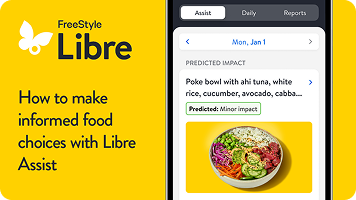
‡ Libre Assist is a feature within Libre app that uses generative artificial intelligence to provide information on how foods could impact your glucose levels. Generative artificial intelligence may not always be accurate, and it should not be used to make treatment decisions.
§ Predicted glucose impact is based on user-provided food data and may differ from actual impact, which depends on sensor readings and factors like activity, stress, medication, and alcohol. For personalized advice, consult your healthcare provider.
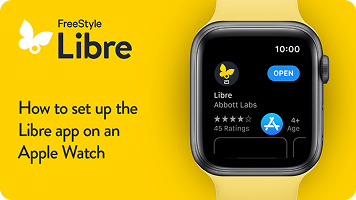
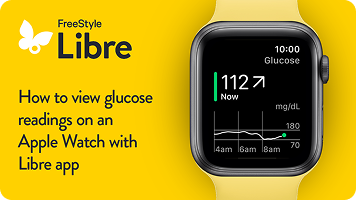
|| The Libre app for smartwatches is only compatible with certain devices and operating systems. Please check the Support section of our website for more information about device compatibility before using the app. Use of the Libre app may require registration with LibreView. The Libre app for smartwatches should not be used to make treatment decisions. Please follow the Libre app instructions on your smartphone.
¶ Glucose information and notifications will only be received when your smartphone is within range of your sensor and smartwatch. Notifications seen on your smartwatch are mirrored from the Libre app on your smartphone. You must enable the appropriate settings on your smartphone to receive alerts on your smartwatch.
# The LibreView data management software is intended for use by both patients and healthcare professionals to assist people with diabetes and their healthcare professionals in the review, analysis, and evaluation of historical glucose meter data to support effective diabetes management. The LibreView software is not intended to provide treatment decisions or to be used as a substitute for professional healthcare advice.
** The user's device must have internet connectivity for glucose data to automatically upload to LibreView and to transfer to connected LibreLinkUp app users.
†† The FreeStyle Libre systems apps are designed to facilitate data sharing between patients and their healthcare providers and caregivers.
‡‡ Check the support section of www.librelinkup.com for information about mobile device and operating system compatibility. LibreLinkUp is not intended to be used for dosing decisions or to replace self-monitoring practices as advised by a physician and requires registration with LibreView.
§§ Based on prescription claims for commercially insured and uninsured patients using the FreeStyle Libre personal CGM systems. Does not include Medicare, Medicaid, and other federal or state healthcare program patients. The actual amount a patient pays may vary. The FreeStyle Libre personal CGM systems require a prescription.
|||| Benefits apply to FreeStyle Libre personal CGM sensors and readers. Void where prohibited by law. Abbott may modify, rescind, or revoke these benefits at any time without notice. Offer available to commercially insured and uninsured patients only. These benefits are not available to beneficiaries of Medicare, Medicaid or other federal or state healthcare programs. For Massachusetts residents, only those patients responsible for the full cost of the product may be eligible to receive these benefits. These benefits are only available at participating pharmacies, which are subject to change without notice. The actual amount a patient pays may vary.
¶¶ Based on pharmacy claims for the aggregate of patients covered by Commercial insurance, Managed Medicare, Managed Medicaid using the FreeStyle Libre personal CGM systems versus Dexcom CGM systems. Does not include fee-for-service Medicare or fee-for-service Medicaid. The actual cost to patients may or may not be lower than other CGM systems, depending on the amount covered by insurance, if any.
## The FreeStyle Libre systems apps and the FreeStyle Libre systems readers have similar but not identical features. Fingersticks are required for treatment decisions when you see Check Blood Glucose symbol and when your glucose alarms and readings from the system do not match symptoms or expectations.
Reference: 1. Data on file. Abbott Diabetes Care, Inc.