Libre Resource Hub:
Everything you need, all in one place

This is your go-to destination for everything you need as a FreeStyle Libre systems user or caregiver.

From videos and tutorials to help you start using Libre systems to support resources and community connections—it’s all here.

Ready to start? Setup is simple with these tools.

How to set up FreeStyle Libre systems

How to set up

Start here with these easy steps to set up Libre systems.

Getting started guide for FreeStyle Libre systems         PDF icon

Getting Started Guides

Your complete guides to using the Libre 3 Plus sensor and Libre 2 Plus sensor

         PDF icon

Sensor Application & Adhesion Guide

What you need to know—from placement, to prepping your skin, to preparing the sensor

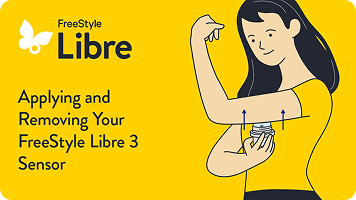
Video on how to apply and remove the FreeStyle Libre 3 Plus sensor
Apply Libre 3 Plus sensor.
Get step-by-step instructions.
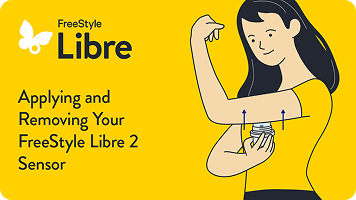
Video on how to apply and remove the FreeStyle Libre 2 Plus sensor
Apply Libre 2 Plus sensor.
Get step-by-step instructions.
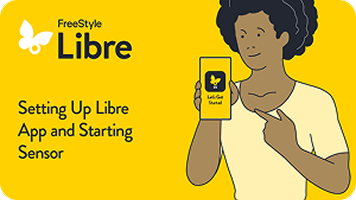
How to start your sensor and set up the Libre app video
Download and set up the Libre app*.
Find all the tips and info you need to help you get started.
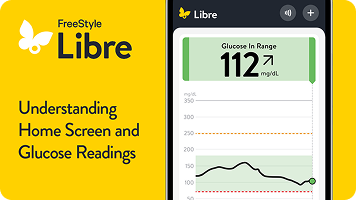
Understanding home screen and glucose readings video
Get your first glucose reading.
Explore your homescreen and see what your numbers mean.

Is your smartphone compatible with the Libre app*? Check out our compatibility guide here.

Looking for extra support? Get free 1:1 sensor training with a Certified Diabetes Educator.

Connect one on one with a Certified Diabetes Educator over the phone—for free. They’ll walk you through sensor setup, show you how to read your glucose patterns, and answer any questions you have along the way.

When you sign up, you’ll also receive free tips and tools to help you feel confident using Libre systems. 

Or call directly at 1-833-855-4273.

Available Monday–Friday, 8 AM to 8 PM Eastern Time (excluding major holidays)
100% free. No strings attached.

Enhance your Libre systems experience and take your skills to the next level.

Now that you've downloaded the Libre app*, we’ll guide you through step-by-step instructions for how to use your sensor.

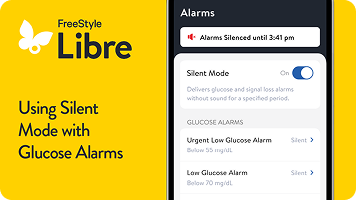
How to customize alarms in the Libre app video
Customize alarms in the Libre app*.
Get alerts when your levels go too low or too high.
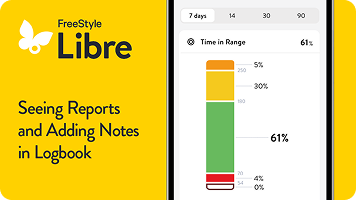
How to view reports and add notes in the Libre app video
View reports and add notes in the Libre app*.
Explore reports for more insight into your glucose numbers.
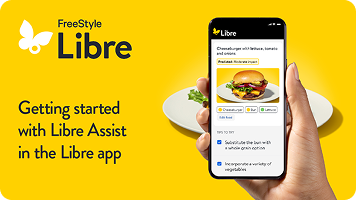
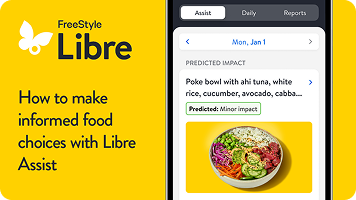
Get started with Libre Assist in the Libre app video
Get started with Libre Assist.
See how different foods can affect your glucose levels§ with this Libre app* feature.
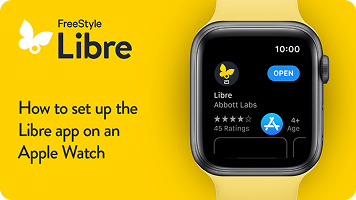
Video on how to set up the Libre app on an Apple Watch
Set up Libre app on your smartwatch||.
Get started with step-by-step instructions.
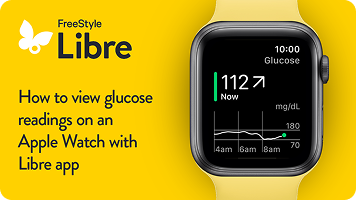
How to view glucose readings on your smartwatch video
View glucose readings on your smartwatch||.
Check your glucose numbers with just a glance.
LibreView#: Connect with healthcare providers.
Share** glucose readings with your healthcare team††. Set up an account in the Libre app* or online at LibreView.com.
LibreLinkUp‡‡: Connect with loved ones.
Share** glucose readings with friends, family, and caregivers. Invite people to join you through the Libre app*. Learn more at LibreLinkUp.com.
Get exclusive access to the MyFreeStyle app.
Sign up to receive an email invitation to download the MyFreeStyle app—nutrition and activity tracking, personalized diabetes content, and more!
Private insurance
Coverage is through your employer, your spouse’s or parent’s employer, or bought on your own.
Medicare
Federal coverage is based on age and/or disability.
Veterans Affairs (VA)/TRICARE
Coverage is based on military status (e.g. veterans, active service members, retirees, and their families).

Are you privately insured or uninsured?
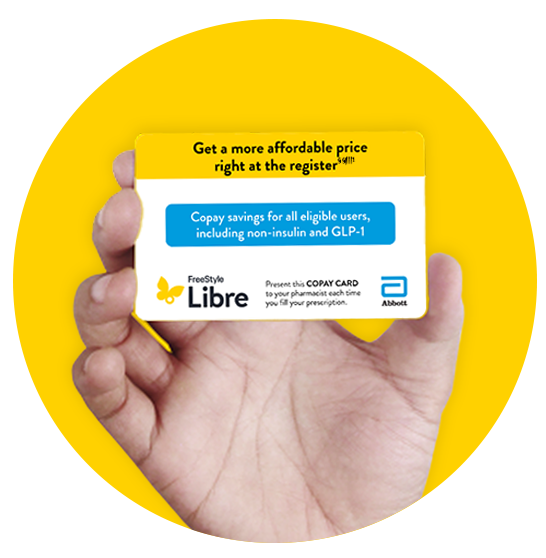
Abbott's copay assistance can help you get the Libre CGM systems you need, at the best price§§||||1.

CGM = continuous glucose monitor(ing)

Are you privately insured or uninsured?
Abbott's copay assistance can help you get the Libre CGM systems you need, at the best price§§||||1.


Next Steps
Present this FreeStyle Libre CGM systems copay card to your pharmacist.
For questions about the product or about using your copay card, please call 1-855-632-8658 (Monday–Friday 8am–8pm ET, excluding holidays).
Directions to Pharmacist on How to Bill
Important—DO NOT combine with other prescription sensor fill transactions.
For insured patients, submit the SECONDARY Claim to PDMI under BIN 610020.
For uninsured patients, submit PRIMARY/Cash Claim to PDMI under BIN 610020.
A PCN code is not required to process the copay card.
If you need assistance, please call the Pharmacist Helpline: 1-888-240-8753.
Disclaimers & References
Abbott provides this information as a courtesy and does not guarantee payment or coverage.
FreeStyle Libre 2 Plus sensor and 3 Plus sensor are indicated for use in people with diabetes age 2 and older.
The FreeStyle Libre 3 system and FreeStyle Libre 2 system are indicated for use in people with diabetes age 4 and older.
FreeStyle Libre CGM systems are available with a prescription at participating pharmacies and durable medical suppliers. Participating pharmacies and durable medical suppliers are subject to change without notice. Product availability may vary by retailer or DME.
Benefits for FreeStyle Libre CGM systems apply to FreeStyle Libre CGM systems sensors and readers. Void where prohibited by law. Abbott may modify, rescind, or revoke these benefits at any time without notice. Offer available to commercially insured and uninsured patients only. These benefits are not available to beneficiaries of Medicare, Medicaid or other federal or state healthcare programs. For Massachusetts residents, only those patients responsible for the full cost of the product may be eligible to receive these benefits. These benefits are only available at participating pharmacies, which are subject to change without notice. The actual amount a patient pays may vary.
Important Safety Information
Product for prescription only, for Important Safety Information please visit FreeStyleLibre.us
ADC-111483 v2.0

Don’t use a digital wallet? Download a copy of our Copay Card|||| and start saving on sensors now.

Need more help with your Libre systems? We’re here to support you.

Access Libre systems: setup and how-to guides.

Find more information and videos on the Libre app*, reader support, and starting your sensor.
Go to Libre 3 system resources
Go to Libre 2 system resources

Submit a sensor support request.

Get sensor help if your sensor has fallen off or if you’ve received a sensor error message.
Submit a request

Contact our Customer Care Team.

Chat with us
Available 24/7; excluding holidays.
Call us at 855-632-8658
Available 7 days a week 8 AM to 8 PM Eastern Time; excluding holidays.


FAQs

How do I know if my smartphone is compatible with the Libre app?

What should I do if I see a “Sensor Error” message while wearing a Libre systems sensor?

What should I do if I see a “Signal Loss” message while wearing a Libre sensor?

What if my Libre systems sensor falls off before 15 days of wear?

Have more questions?

Visit the FAQ page for answers to your questions about sensors, systems, apps, readers, alarms, and partnerships.

FreeStyle Libre 3 system is cleared to be used by children 4 years and older with Libre 3 sensor and 2 years and older with Libre 3 Plus sensor.

FreeStyle Libre 2 system is cleared to be used by children 4 years and older with Libre 3 sensor and 2 years and older with Libre 3 Plus sensor.

Medicare and other payor criteria may apply. Abbott provides this information as a courtesy and does not guarantee payment or coverage.

* The FreeStyle Libre systems apps are only compatible with certain mobile devices and operating systems. Please check the Support section of our website for more information about device compatibility before using the apps. Use of the FreeStyle Libre systems apps may require registration with LibreView.

† Alarm notifications will only be received when alarms settings are enabled and turned on and sensor is within 20 feet (FreeStyle Libre 2) or 33 feet (FreeStyle Libre 3) unobstructed of the reading device.

‡ Libre Assist is a feature within Libre app that uses generative artificial intelligence to provide information on how foods could impact your glucose levels. Generative artificial intelligence may not always be accurate, and it should not be used to make treatment decisions.

§ Predicted glucose impact is based on user-provided food data and may differ from actual impact, which depends on sensor readings and factors like activity, stress, medication, and alcohol. For personalized advice, consult your healthcare provider.

|| The Libre app for smartwatches is only compatible with certain devices and operating systems. Please check the Support section of our website for more information about device compatibility before using the app. Use of the Libre app may require registration with LibreView. The Libre app for smartwatches should not be used to make treatment decisions. Please follow the Libre app instructions on your smartphone.

¶ Glucose information and notifications will only be received when your smartphone is within range of your sensor and smartwatch. Notifications seen on your smartwatch are mirrored from the Libre app on your smartphone. You must enable the appropriate settings on your smartphone to receive alerts on your smartwatch.

# The LibreView data management software is intended for use by both patients and healthcare professionals to assist people with diabetes and their healthcare professionals in the review, analysis, and evaluation of historical glucose meter data to support effective diabetes management. The LibreView software is not intended to provide treatment decisions or to be used as a substitute for professional healthcare advice.

** The user's device must have internet connectivity for glucose data to automatically upload to LibreView and to transfer to connected LibreLinkUp app users.

†† The FreeStyle Libre systems apps are designed to facilitate data sharing between patients and their healthcare providers and caregivers.

‡‡ Check the support section of www.librelinkup.com for information about mobile device and operating system compatibility. LibreLinkUp is not intended to be used for dosing decisions or to replace self-monitoring practices as advised by a physician and requires registration with LibreView.

§§ Based on prescription claims for commercially insured and uninsured patients using the FreeStyle Libre personal CGM systems. Does not include Medicare, Medicaid, and other federal or state healthcare program patients. The actual amount a patient pays may vary. The FreeStyle Libre personal CGM systems require a prescription.

|||| Benefits apply to FreeStyle Libre personal CGM sensors and readers. Void where prohibited by law. Abbott may modify, rescind, or revoke these benefits at any time without notice. Offer available to commercially insured and uninsured patients only. These benefits are not available to beneficiaries of Medicare, Medicaid or other federal or state healthcare programs. For Massachusetts residents, only those patients responsible for the full cost of the product may be eligible to receive these benefits. These benefits are only available at participating pharmacies, which are subject to change without notice. The actual amount a patient pays may vary.

◊ Eligible patients will receive one (1) FreeStyle Libre 2 Plus sensor or (1) FreeStyle Libre 3 Plus sensor for users with a compatible mobile phone operating system at $0 copay. The expiration date of the voucher is 60 days from the issue date. This program is available for patients with Type 1 diabetes or Type 2 diabetes or gestational diabetes. Patients ages 18 and older are eligible to sign up and receive an offer for the (1) FreeStyle Libre 2 Plus sensor or (1) FreeStyle Libre 3 Plus sensor. Patients ages 2–17 are eligible to receive an offer for the (1) FreeStyle Libre 2 Plus sensor or (1) FreeStyle Libre 3 Plus sensor through their parent or guardian. This offer is void where prohibited by law. Abbott may modify or rescind this offer at any time without notice. The discounts are not available to beneficiaries of Kaiser Permanente, Medicare, Medicaid or other federal or state healthcare programs, residents of Massachusetts, or US territories (other than Puerto Rico).The free (1) FreeStyle Libre 2 Plus sensor or (1) FreeStyle Libre 3 Plus sensor is provided as a sample and is limited to one sample per eligible person per product identification number. The FreeStyle Libre 2 Plus sensor or FreeStyle Libre 3 Plus sensor cannot be re-sold, traded nor submitted to any third-party payer for reimbursement and is not provided as any inducement for future purchases. The free sample card is not health insurance.

Reference: 1. Data on file. Abbott Diabetes Care, Inc.

ADC-119475 v1.0