How can we help?

Search and find answers to frequently asked questions.

How can I find the serial number of my FreeStyle Libre 3 Plus sensor on the Libre app or FreeStyle Libre 3 reader?

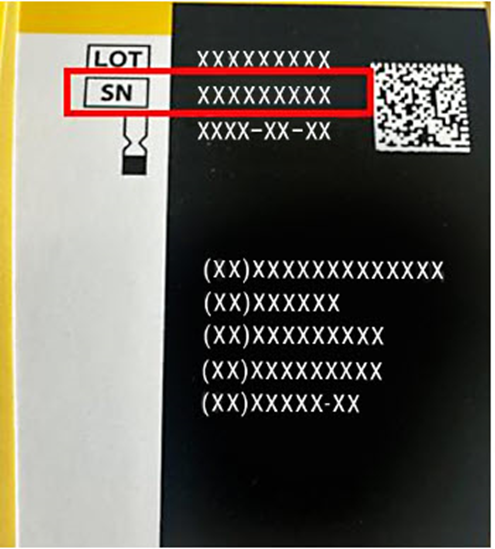
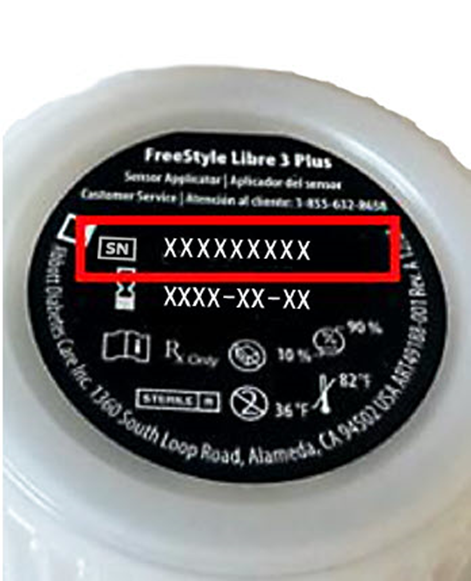
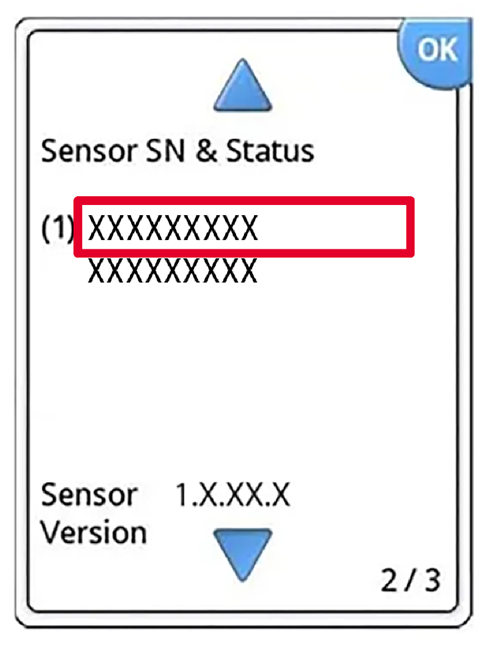
You can find the serial number(s) for your FreeStyle Libre 3 Plus sensor(s) in your Libre app, on your FreeStyle Libre 3 reader, or on the FreeStyle Libre 3 Plus sensor packaging.
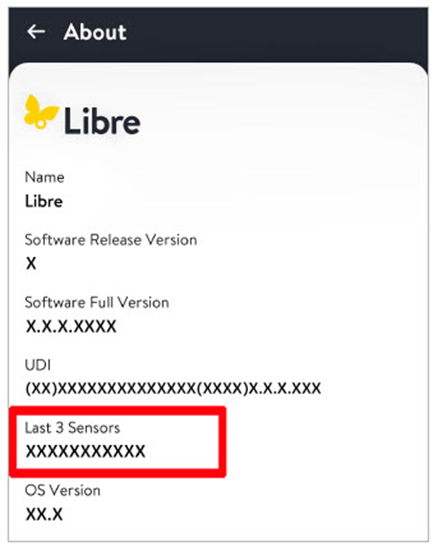
In your Libre app* click on the “About” section to view the serial numbers of your last 3 FreeStyle Libre 3 Plus sensors.

If you use a FreeStyle Libre 3 reader, you’ll be able to locate your serial number(s) by:

  • Clicking on the gear icon in the upper right corner of the reader home screen
  • Click on the blue downward arrowhead to scroll down 2 screens
  • Click on the “System Status” button
  • Click on “System Info” button
  • Click on the blue downward arrowhead and you’ll see your serial number(s)

You can also find the serial number of a FreeStyle Libre 3 Plus sensor at the bottom of the FreeStyle Libre 3 Plus packaging to the right of the letters “SN”.

The sensor serial number can also be found on the cap of the FreeStyle Libre 3 Plus sensor applicator to the right of the letters “SN”.

*The FreeStyle Libre systems apps are only compatible with certain mobile devices and operating systems. Please check the Support section of our website for more information about device compatibility before using the apps. Use of the FreeStyle Libre systems apps may require registration with LibreView.


Was this information helpful?

Thank you for your feedback.

We want to help you receive the information you need. Other options you might consider:

Contact Customer Care

1-855-632-8658

Available 7 days a week 8 AM to 8 PM Eastern Time; excluding Holidays

Go to FAQ Search

ADC-2661293 v5.0