.svg)

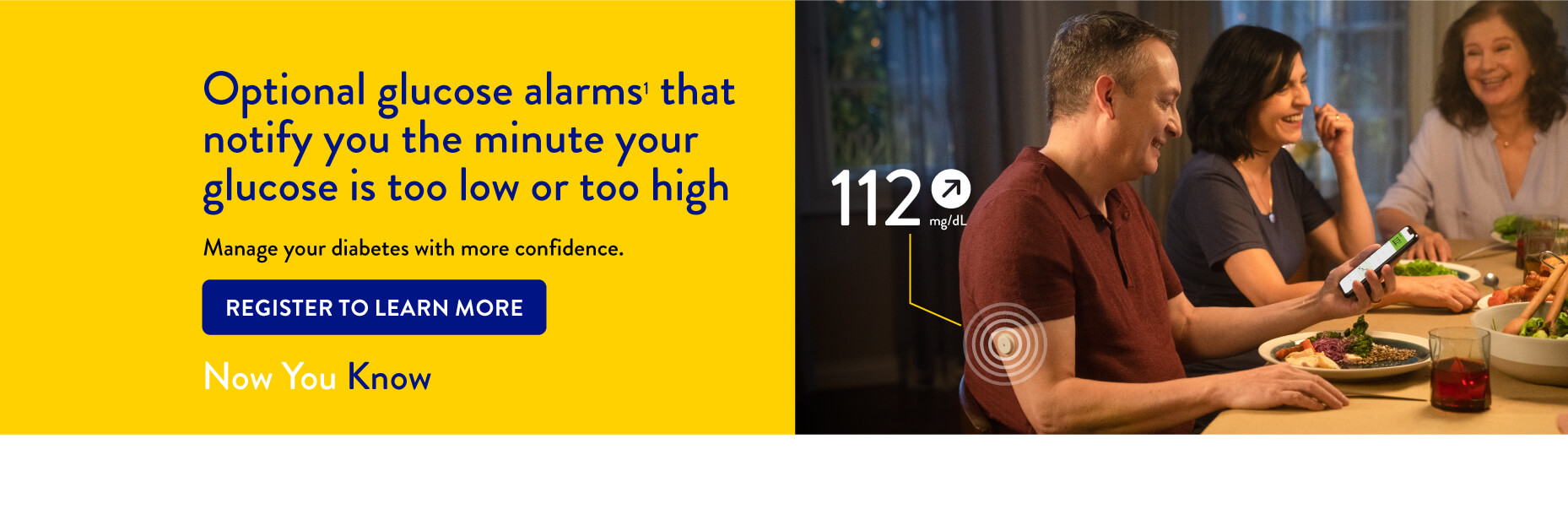

THE FREESTYLE LIBRE 2 SYSTEM HAS 3 OPTIONAL REAL-TIME GLUCOSE ALARMS1

Low Glucose Alarm
An alarm will notify you when your glucose is lower than the set levels
____________________________________________
Alarm Range: 60 mg/dL to 100 mg/dL

High Glucose Alarm
An alarm will notify you when your glucose is higher than the set levels
____________________________________________
Alarm Range: 120 mg/dL - 400 mg/dL

Signal Loss Alarm
An alarm will notify you when the sensor has not communicated with the app for 20 minutes
IT’S EASY TO SET ALARMS ON YOUR FREESTYLE LIBRELINK12 APP
1. Tap Alarms in menu¹³
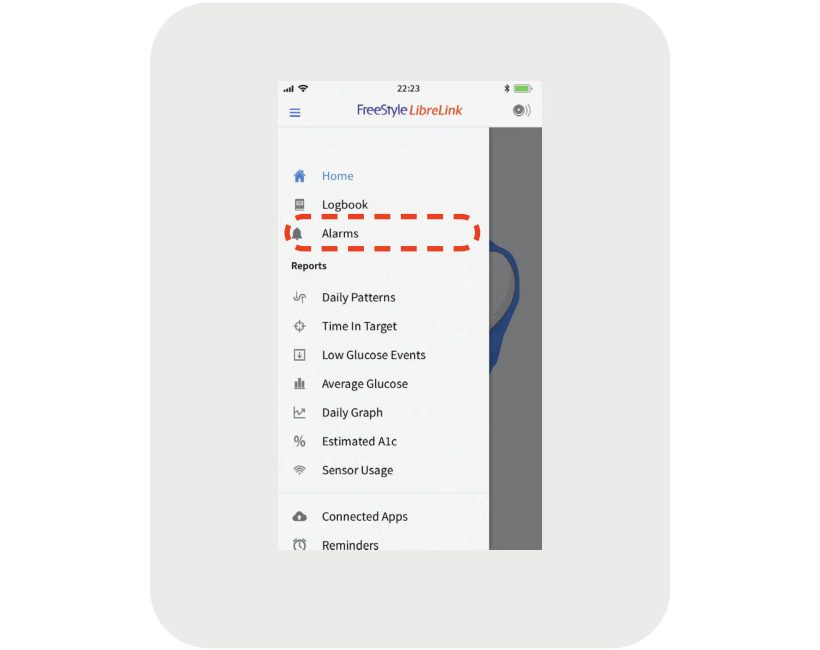
2. Touch low glucose alarm and turn on alarm (alarms are off by default)

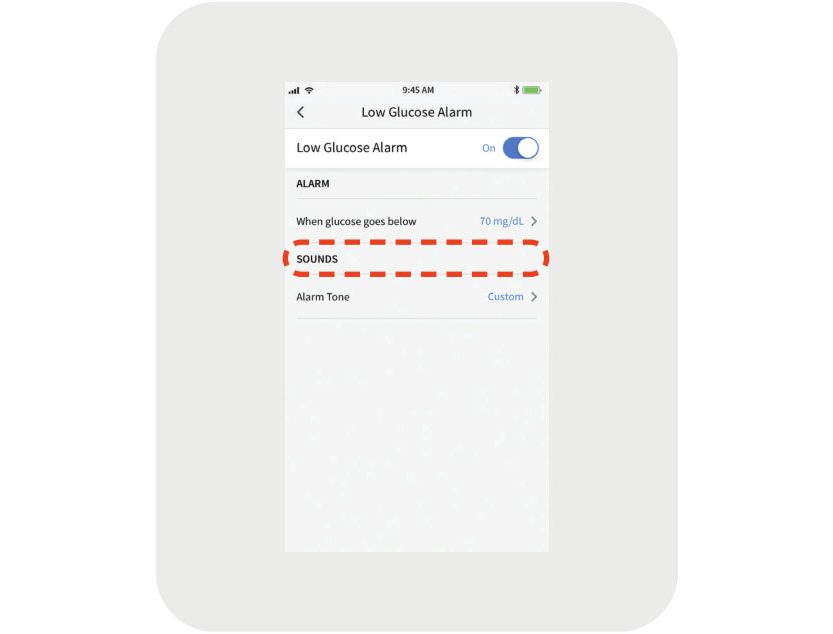
3. Scroll to select Low Glucose Value¹⁴

4. Touch Alarm tone and make your tone choice
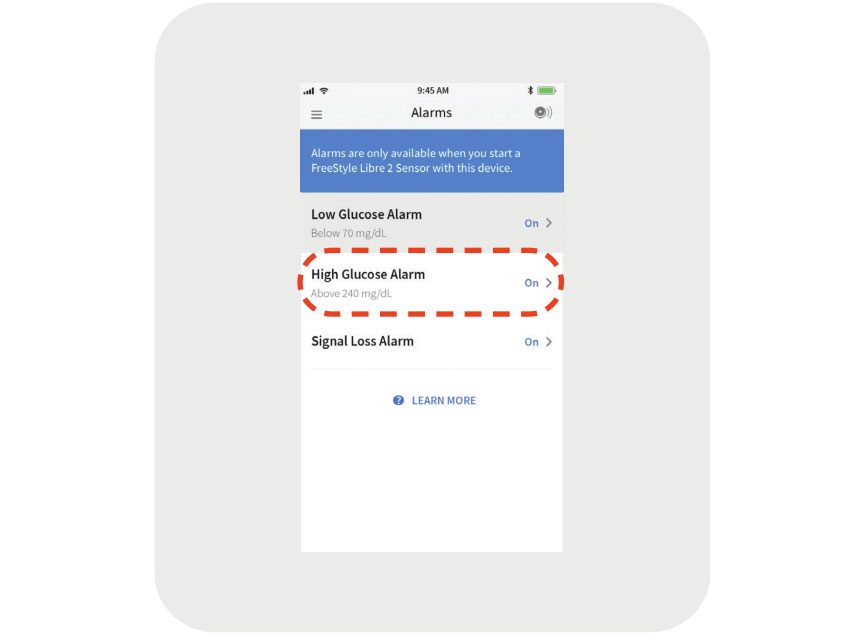
5. Set your high glucose alarm using the same steps15

FreeStyle LibreLink
DOWNLOAD FREESTYLE LIBRELINK


SETTING UP SHARED GLUCOSE ALARMS ON THE LIBRELINKUP9,10 APP IS SIMPLE
1. Connect and share glucose information with the caregiver via the FreeStyle LibreLink12 app
2. In the LibreLinkUp app, touch the Notification Settings icon
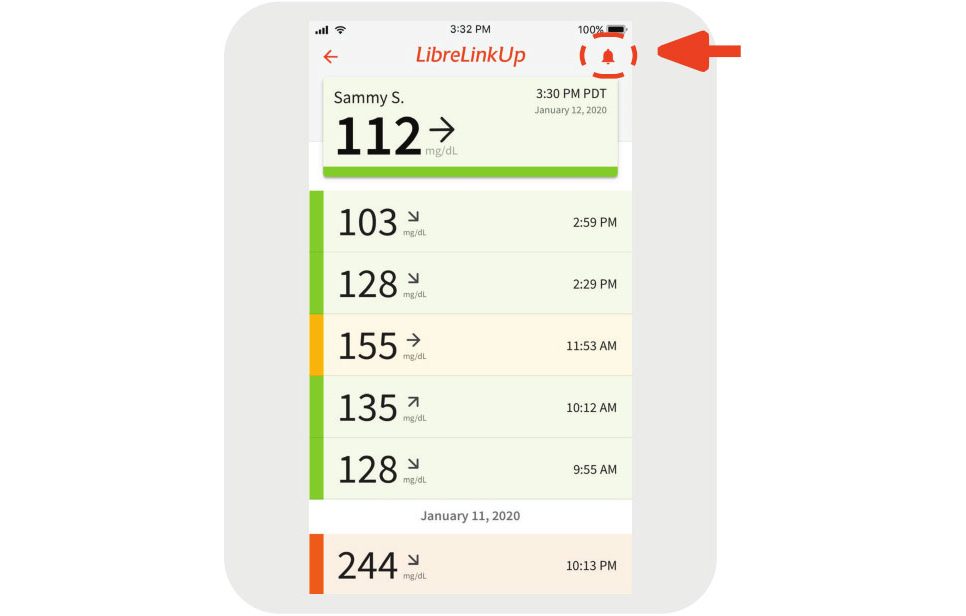
3. Touch glucose alarms and turn on alarm


LibreLinkUp
DOWNLOAD LIBRELINKUP NOW
Images and simulated data for illustrative purposes only. Not real patient or data.
1. The FreeStyle Libre 2 system has optional glucose alarms. Alarms need to be turned on in order to receive low and high glucose alarms.
2. The FreeStyle LibreLink app is only compatible with certain mobile devices and operating systems. Please check the website for more information about device compatibility before using the app.
3. Please see the FreeStyle LibreLink User’s Manual for complete instructions.
4. 60 mg/dL is the default Low Glucose Alarm level and can be set between 60 mg/dL – 100 mg/dL.
5. 400 mg/dL is the default High Glucose Alarm level and can be set between 120 mg/dL – 400 mg/dL.